MegaClickShop
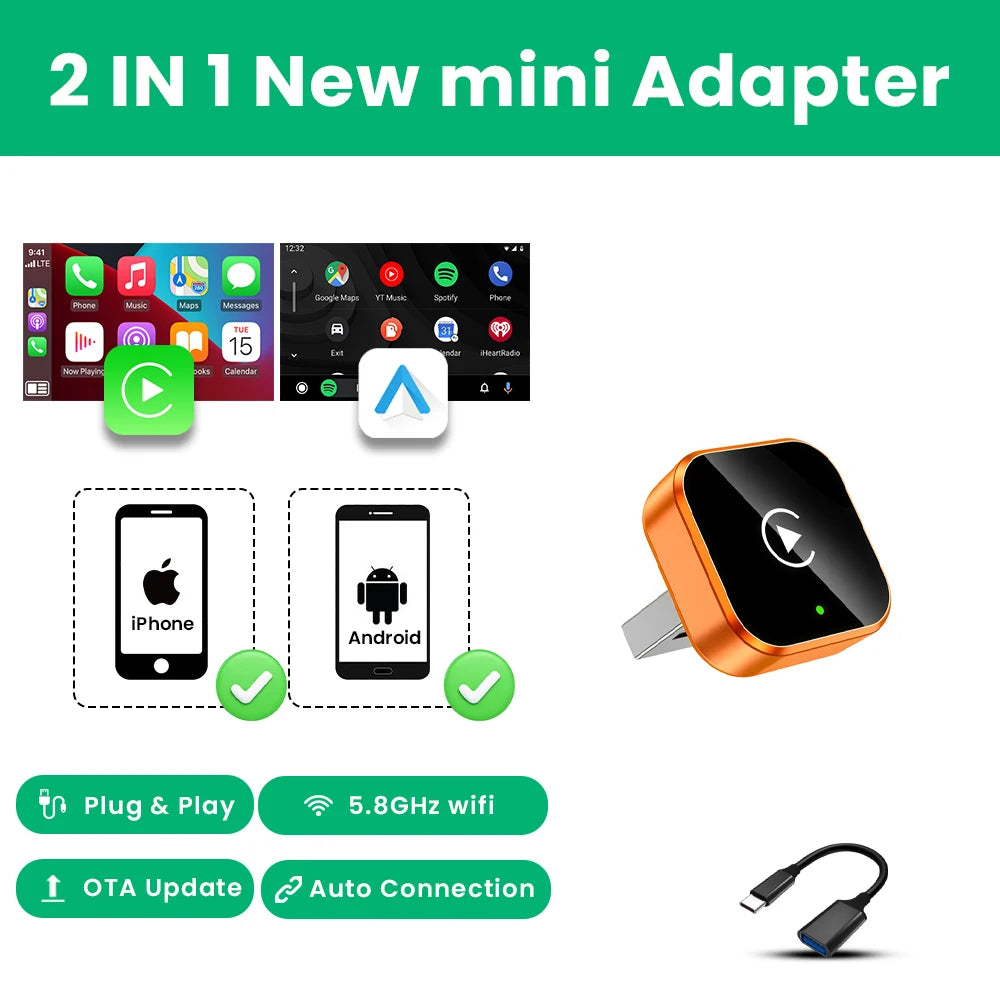
2026 2in 1 Wireless CarPlay Dongle Wireless Android Auto Adapter AI Smart Box 5Ghz WiFi Type-C/USB Plug and Play Car accessories
2026 2in 1 Wireless CarPlay Dongle Wireless Android Auto Adapter AI Smart Box 5Ghz WiFi Type-C/USB Plug and Play Car accessories
No se pudo cargar la disponibilidad de retiro
SPECIFICATIONS
Bluetooth: 5.0
Brand Name: Tripodpie
Choice: yes
Conditions of Use: Only Support Original Car With Wired Carplay/Android Auto
Feature: Wireless Carplay
Feature1: Wireless Android Auto
Feature2: OTA Update
Feature3: Plug and play
Feature4: Carplay adapter
Feature5: Android auto adapter
High-concerned chemical: None
Origin: Mainland China
Support the Car: For Audi Benz Volvo VW Toyota Skoda Seat Nissan Mazda Lexus Kia Jeep Jaguar Hyundai,For Honda Haval GMC Ford Chevrolet Citroen Buick Cadillac Chery MG
Wifi: 2.4G+5G

⚠️Notice
1.Please make sure your original car has OEM CarPlay/Android Auto, If not available, please do not purchase(display shows CarPlay/Android Auto icon)
2.Models manufactured after 2017
3.Not compatible with BMW. Not compatible with Tesla.
About mobile phones
1.Carplay supports iPhone 6 and above models, with software versions of iOS 10 and above.
2.Android cars support Android 11 and above models. Please note that Huawei phones are very unique. Huawei devices have their own mobile operating system EMUl. Unfortunately, Android Auto Wireless does not support EMUl.


How to use wireless Carplay/Android Auto?
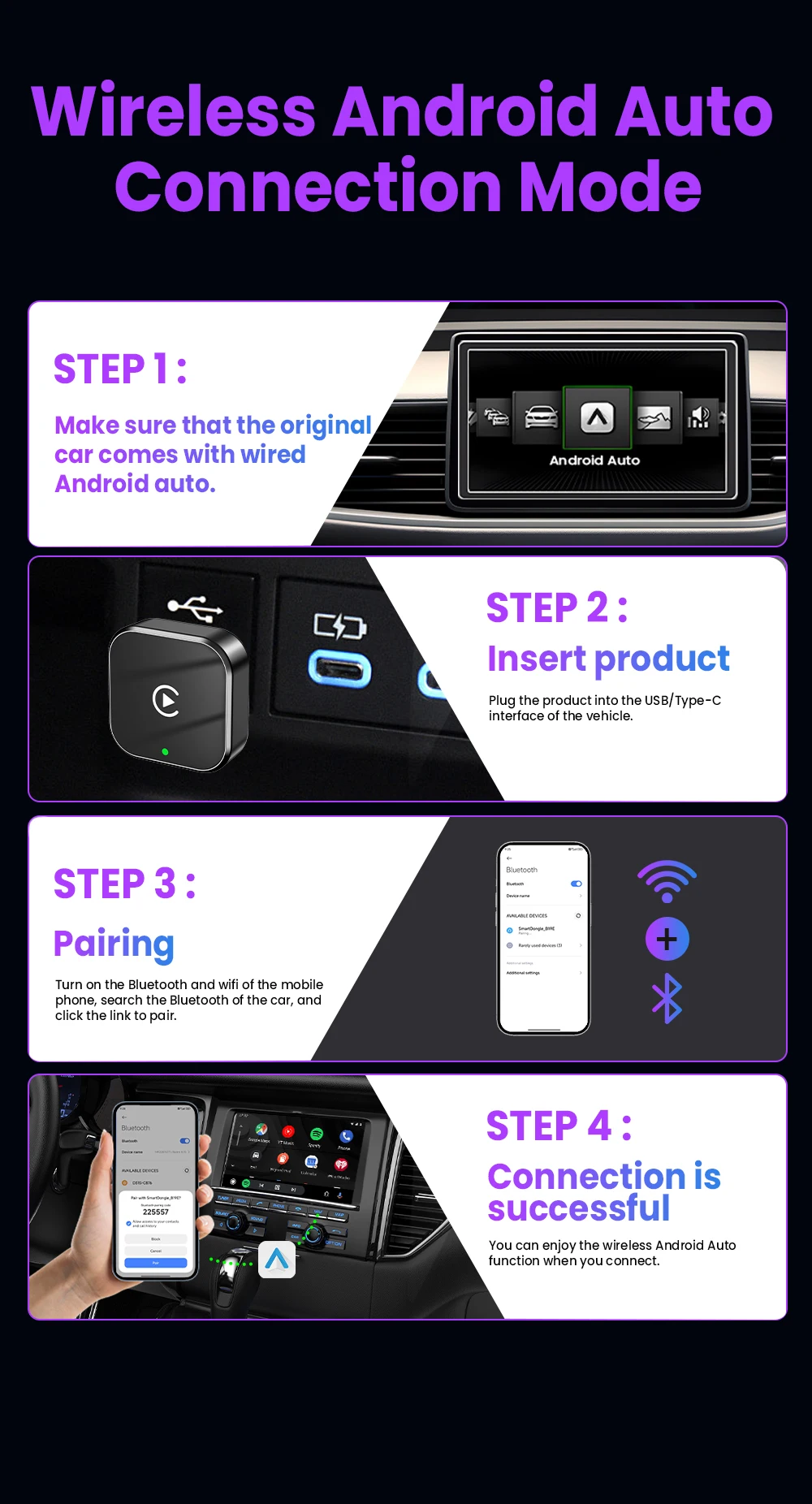
1. Connect the USB box to the car USB
2. Check the Bluetooth name "Smart Dongle-XXXX" that appears on the car
3. Turn on the phone's WIFI and Bluetooth, and use the Bluetooth pairing device name.

🎀Function of switching between products
If you need to switch from wireless Carplay to wireless Android auto function
Please use an Android phone to connect the device Bluetooth name. After the connection is successful, wait for the device to automatically reset and restart. The process takes about 30 seconds. Keep it powered on Carplay will switch to Android Auto function
So you can use an Android phone to connect to the wireless Android Auto function
Note:
1.To use wireless Android Auto
Your car needs to have the Android Auto channel function
Your phone is an Android system and supports the Android Auto function
2.To use wireless Carplay
Your car needs to have the Carplay channel function
Your phone is an Apple phone and has an ios10 system or above

How to upgrade for iPhone online?
Access the backend page with an iPhone
1. Please use your phone to connect to the device Wifi: "Smart Dongle" and enter the password: "12345678",
2. Open the Safari browser on your iPhone and enter the IP address: "192.168.1.101,
3. Click "Access" or "Go" to enter the online upgrade backend. (If you cannot enter, please check whether the phone's Wifi is correctly connected to the device)
Android phone upgrade method
Android phone access backend page
1. Please use your phone to connect to the device Wifi: "Smart Dongle" Enter the password: "12345678"
2. Open the mobile phone Chrome browser and enter the IP address: "192.168.1.101
3. Click "Access" or "Go" to enter the online upgrade backend interface. (If you cannot enter, please check whether the phone's Wifi is correctly connected to the device)

Features:
✅ Wireless CarPlay, Convert factory wired CarPlay to wireless
✅Wireless Android Auto, Convert wired Android Auto to wireless
✅ Plug and play, Plug in our product to the USB port with data transmission, Search the Bluetooth name and allow all request.
✅5GHz Wifi transmission, the most stable solution for the phone connection.
✅Great Compatibility. Right nowcompatible with 98% of cars on the market with wired CarPlay and Android Auto


The following requirements must be met to use this product:
✅ Your car radio is original.
✅ Your car has wired Carplay or wired Android auto.
✅ BMW, Tesla and other models are not compatible. If you are not sure, you can ask customer service before purchasing.
1. Why is there a slight delay in the sound during use of the product?
Any product connected via Bluetooth will have lags. This is a normal phenomenon. You can also improve it in the following aspects:
✅Turn off redundant Bluetooth devices, because unnecessary Bluetooth signals will interfere with the product connection.
✅Disconnect and reconnect Bluetooth.
2. Why can't my wireless Android auto connect properly?
✅ For Android system phones with lower versions of Android 9 or Android 10, if you cannot find Android auto in Google services, you can download an Android auto software.
✅ Please confirm that the Bluetooth and WiFi of your phone are turned on. Android auto needs to use Bluetooth connection and WiFi to transfer data.
✅ Please confirm that the original car Bluetooth has been ignored on the mobile phone. If there are other Bluetooth connections, they need to be disconnected first.
✅ Please confirm that the product's Bluetooth is not occupied by other devices. If you have used other devices to connect to the product's Bluetooth, please disconnect first and try again.
✅ Huawei phones and Honor phones cannot use Android auto.